
AI Song Lyrics Generator From Title: Turn a Single Line Into a Full Song
You already have the best part — a title. An ai song writer can take that one line and expand it into verses, a chorus, and a bridge in seconds.

A great title is already a seed of theme, mood, and hook — this guide walks through the exact workflow from title to finished lyrics, according to how song structure actually works, plus real worked examples.
Why the Title Is the Perfect Starting Point
Most people stall before they ever write a lyric because they think they need a fully formed idea first. They don’t. A title alone already carries theme, mood, and — most importantly — a hook, the short musical idea used to «catch the ear of the listener,» according to Wikipedia’s entry on the hook in music. And a song’s chorus usually contains the hook, which is why a title so often becomes the line that gives the song its name. Starting from a title means you’re not starting from nothing; you’re starting from the emotional core of the whole piece.
A title is a compressed hook
Think of a title as a hook that hasn’t unpacked itself yet. It already implies a tone — «Midnight in the Rain» sounds different from «Sunday Morning Coffee» before a single verse exists. That’s why several AI lyrics generator tools put a «Title (optional)» field right next to the prompt, mood, and style fields on their input screen: the title is doing real work, not just labeling the finished product. A strong starting title usually does a few things at once:
- Sets an emotional tone before any lyrics exist
- Hints at a genre or tempo
- Gives the chorus a natural anchor line
- Stays short enough to repeat without feeling clunky
From blank page to first draft
The fear of the blank page disappears once you hand over a single line instead of a finished concept. A song lyrics maker takes that line and returns a verse and a chorus within seconds, then hands control back to you: enter a concept — usually just the title, sometimes with a genre or mood — let the AI generate a full draft with verse, chorus, and often a bridge, then edit, reorder, and personalize the result until it feels like yours.
That loop is the entire learning curve. Everything below is about doing each stage well.
How an AI Turns a Title Into Full Lyrics (Step by Step)
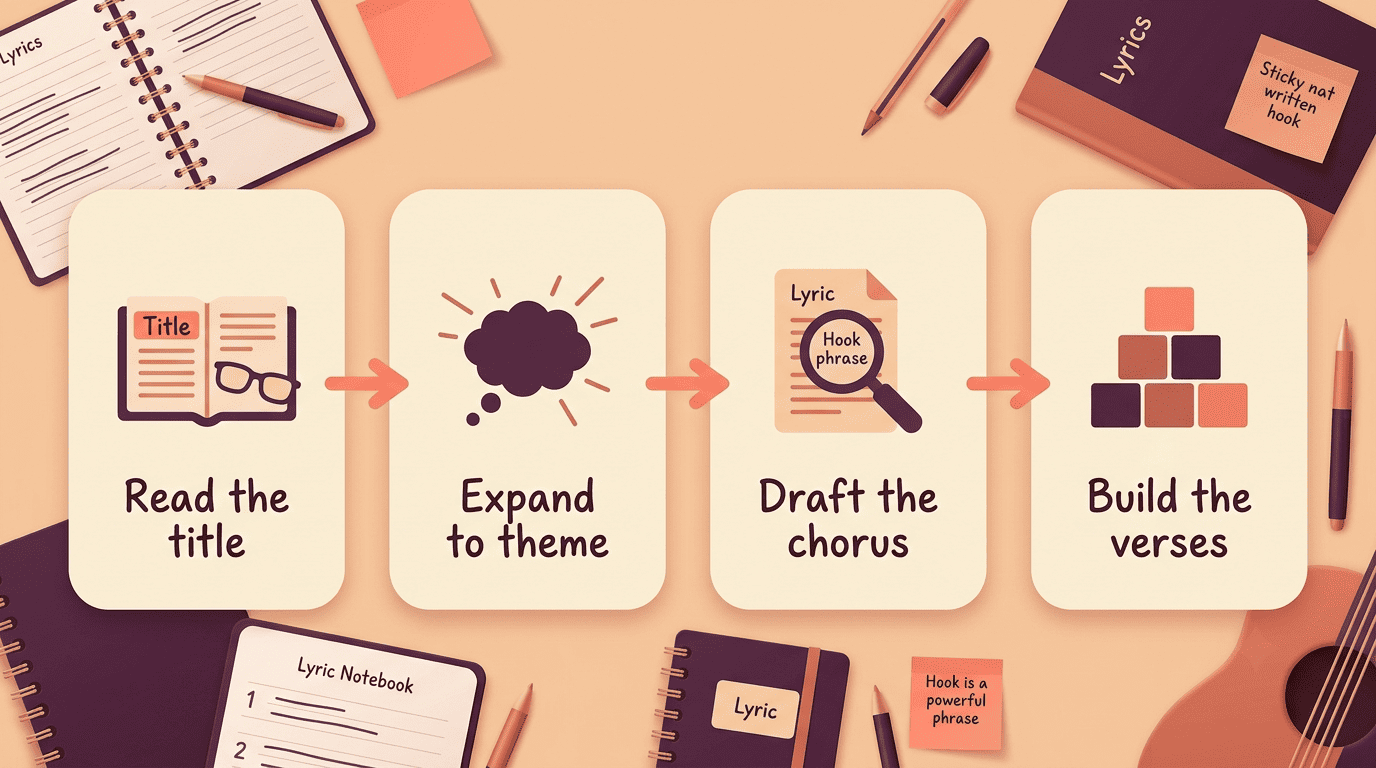
An AI lyric writer doesn’t just autocomplete your title — it reads it for signal, expands it into a theme, and then builds structure around that theme. Typical inputs include the title itself plus a prompt, mood, structure, style, and language; some tools ask for topic, genre, keywords, and even an emotional journey across the song. Here’s what happens between typing a title and getting a full lyric sheet:
- Read the title for theme, mood, and genre. The generator scans the title for emotional and thematic cues. «Midnight in the Rain» reads as a theme of loneliness, a melancholic mood, and points toward a ballad or R&B feel before you’ve written a single extra word.
- Expand the title into a theme statement. The AI turns that short line into one or two sentences describing what the song is actually about. This theme statement becomes the scaffolding every verse gets built on.
- Draft the chorus around the title. The title becomes the central line of the chorus — the hook. A chorus repeats the same lyrics every time it appears in the song, so anchoring the title there means the listener hears it, and remembers it, multiple times.
- Build verses that lead to the hook. Verses carry new lyrics and narrative each time, using the same music but different words to move the story forward toward the chorus. A pre-chorus often gets added here as a short build-up that raises tension right before the hook lands.
| Your input | What the AI does | What you get |
|---|---|---|
| Song title | Extracts theme, mood, genre hints | A theme statement |
| Mood / genre tags | Matches tone and instrumentation feel | A chorus draft built on the title |
| Prompt or keywords | Expands narrative detail | Verses that lead into the hook |
| Structure preference | Arranges sections in order | Full lyric sheet: verse–chorus–verse–bridge |
Expanding a Title Into a Theme and Story
A title is a compressed idea, and turning it into a full theme means asking it questions the way you’d interview a stranger about their day.
Ask the title questions
Before you generate anything, sit with the title and ask:
- Who is speaking, and to whom?
- What specific moment is this song set in?
- What feeling does the narrator start with?
- What feeling changes by the end?
That last question matters more than it seems — a well-built emotional journey moves through two or three emotions in sequence rather than sitting flat on one feeling for the whole song.
Keep one central image
The strongest title-driven songs hold onto a single image or metaphor from the title all the way through. If «Hometown Lights» is your title, let porches, streetlights, or a specific road stay in the frame rather than jumping to unrelated imagery. Reading a title too literally, or letting the same image repeat without variation, is one of the fastest ways lyrics start to feel generic and machine-written rather than personal.
Writing a Title-Driven Chorus and Hook
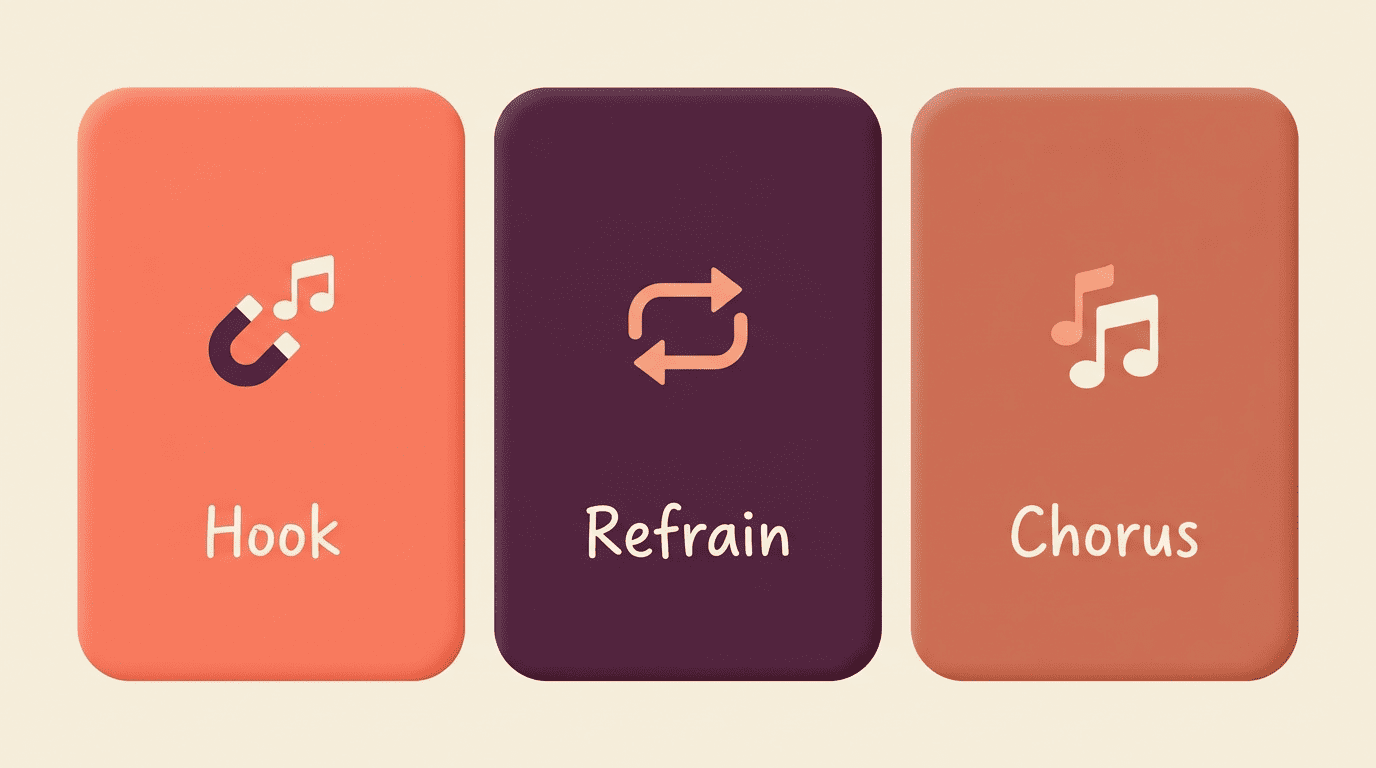
The hook is the phrase a listener can hum after one play, and it usually lives inside the chorus — the section built specifically to repeat the same words each time it comes back around. A related device, the refrain, is a repetitive phrase that plays a similar role to the chorus lyrically but isn’t a full separate section — Wikipedia describes it as a phrase that «serve[s] the function of a chorus lyrically, but [is] not in a separate section or long enough to be a chorus.» A title can work as either.
| Element | What it is | Where it lives |
|---|---|---|
| Hook | The most memorable phrase in the song | Usually the chorus, sometimes a refrain line |
| Refrain | A single repeated line | End of each verse |
| Chorus | A full section with fixed lyrics | Repeats identically each time it appears |
Place the title where it repeats
A title works hardest as the first or last line of the chorus — the position where repetition locks the hook into memory. Used as a refrain instead, the same title line can close out every verse, creating a second, quieter kind of repetition running underneath the chorus.
Let the AI offer variations
Generate more than one option before picking a favorite. Most tools will offer several phrasings of the same title-driven line, and the differences often come down to syllable count and where the stress falls — small shifts in rhythm that change how naturally the line sits against a melody.
Working Title vs Final Title
A title doesn’t have to be permanent the moment you type it into the generator. A working title just needs to point you in a direction, even a rough one — that’s the entire reason so many lyric generators mark the title field as optional. You’re meant to start with a loose line and let it evolve rather than waiting for the perfect one to appear before you write anything.
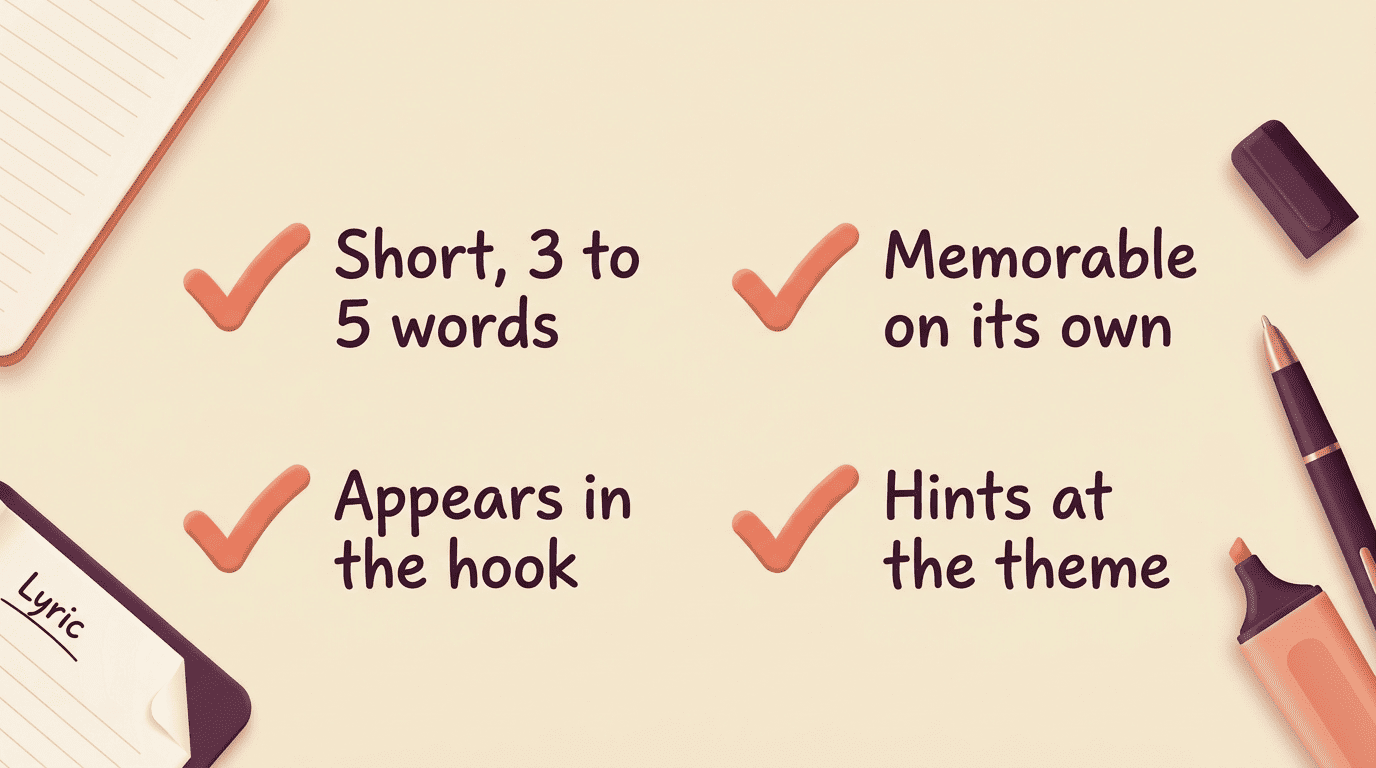
Once the verses and chorus are drafted, the strongest final title often surfaces from inside the lyrics themselves rather than from the original prompt that started the whole process. Reading back through the finished draft with fresh eyes usually reveals a line that was doing more work than the working title ever did — sharper, more specific, and already sitting inside the hook. A few signs a line is ready to become the final title:
- It’s short — three to five words at most
- It’s memorable on its own, out of context
- It already appears inside the hook
- It hints at the theme without spelling it out completely
Genres, Moods, and Examples From One Title
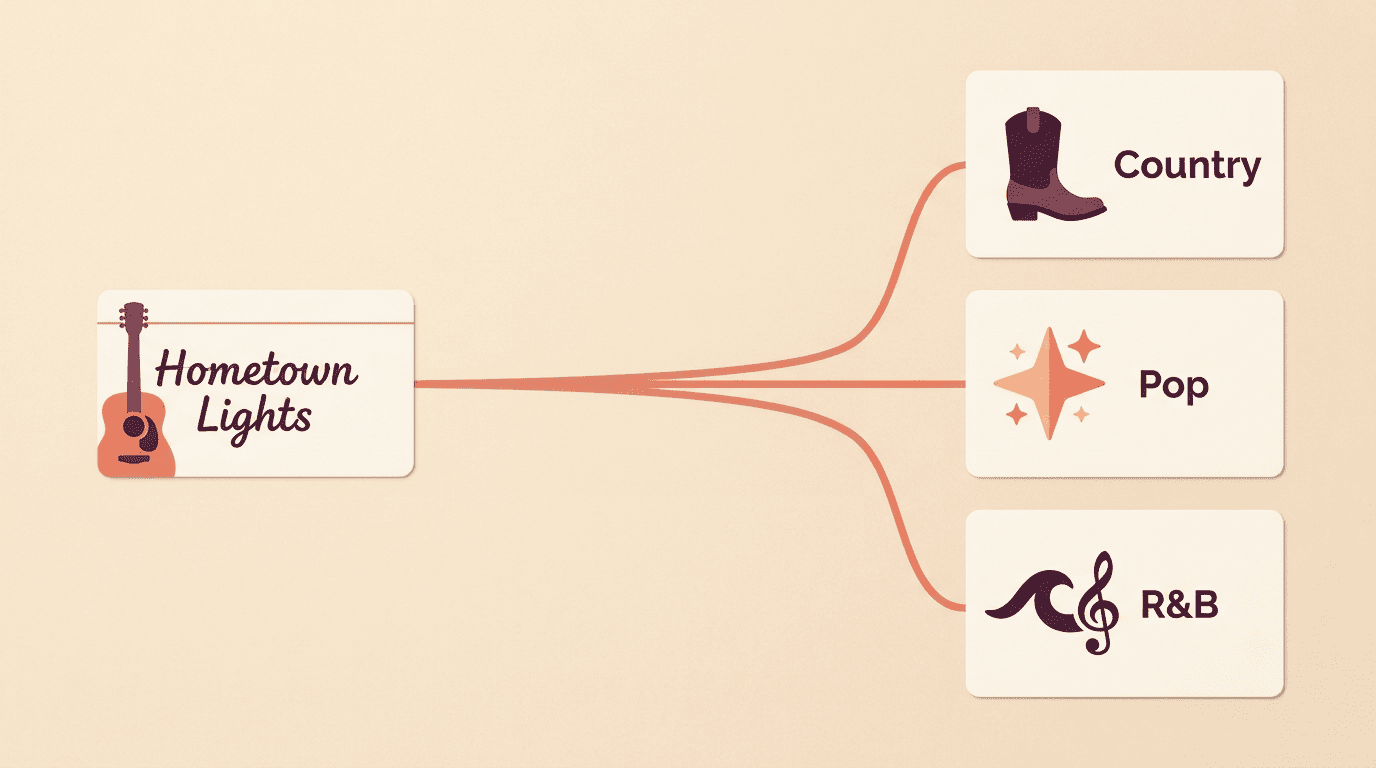
Adapt the same title to different genres and you’ll get genuinely different songs. The theme stays constant, but instrumentation, phrasing, and emotional register shift with the genre — most AI lyric writers support pop, rock, hip-hop, rap, country, R&B, metal, drill, EDM, worship, and children’s music — often 10 to 20-plus genres in total.
Same title, different genres
| Genre | How «Hometown Lights» would land |
|---|---|
| Country | Nostalgic, built on concrete details — a porch, a road, a name |
| Pop | Big, uplifting chorus built for a sing-along |
| R&B | Intimate, slower pacing, closer emotional focus |
One input, three very different outputs — the title supplies the theme, and the genre setting decides how that theme gets dressed. A few things worth trying when you switch genres on the same title:
- Change the tempo tag before regenerating, not just the genre label
- Compare the chorus phrasing side by side across two genres
- Notice which instruments the mood prompt implies
- Keep the same central image so the songs still feel related
Worked example: title → chorus → verse
Take the title «Hometown Lights.» Expanded into a theme statement, it becomes a song about coming back to a place that shaped you and finding it both familiar and changed.
A chorus built around it might run:
«Hometown lights, still burning on the hill / Hometown lights, I can see you burning still.»
The title anchors both lines, repeating exactly as a chorus should. A verse leading into it carries new detail each time — a specific street, a specific year, a specific person waiting — while the chorus stays fixed as the emotional anchor the listener returns to.
The chorus or refrain is the element of the song that repeats at least once both musically and lyrically.
Song structure — Wikipedia
Keeping Your AI Lyrics Original
An AI-generated lyric sheet is a starting point, not a finished, personal song — and treating it that way is what actually makes it yours.
Treat AI output as a first draft. Use the generated text the way you’d use a sketch, not a finished painting. Rewrite lines that don’t sound like you, swap in personal details the AI couldn’t have known, and trim anything generic. That editing pass is what turns a generic draft into a song with your own voice in it.
Understand the basics of AI and authorship. The U.S. Copyright Office has stated that copyright protection requires human authorship, which means purely AI-generated material may not qualify for protection on its own. The practical takeaway is simple and not scary: edit, rearrange, and add enough of your own creative choices to the draft, and the result becomes a work you meaningfully authored — not just a raw machine output.