
AI Rap Lyrics Generator: Write Bars, Hooks and Flow That Actually Hit
An AI rap lyrics generator turns a topic and a vibe into finished verses, hooks and bars — a fast co-writer for when the page is blank. Think of it as one corner of a broader ai song writer toolkit, tuned specifically for the rhythm, rhyme and punchlines of rapping.
This guide shows what these tools actually do, the rap craft they lean on — multisyllabic rhyme, flow, cadence, wordplay — and a simple workflow to go from a spark to a full track you can call your own.
What an AI Rap Lyrics Generator Really Does
An AI rap lyrics generator produces rap verses, hooks and bars from a short prompt, and understanding the mechanics behind that output makes the results far more usable.
From prompt to verse
You type a topic, a mood and a style; the model returns structured lyrics — verse, hook, sometimes a bridge. Many of these tools run on large language models that have effectively «read» enough rap to recognize rhyme schemes, punchlines, bars and hooks as patterns rather than random text. Some generators let you stack multiple inputs in a single pass — one tool allows up to 3 topics and 3 emotions together, for example Angry moving into Determined and landing on Triumphant, so the verse arcs through a mood rather than sitting flat.
A co-writer, not a replacement
The generator is fastest at beating the blank page and offering options; you stay the editor — picking the best line, fixing a forced rhyme, keeping your voice. Frame it as a brainstorming partner, not an autopilot. The strongest results come from treating a draft as raw material: read it out loud, cut what sounds stiff, and rewrite the rest until it sounds like you and not like a template.
Rhyme: The Engine Under the Bars
Rhyme is what separates a rap verse from a rhythmic list of sentences, and a generator’s rhyme controls are usually the first thing worth learning.
Rhyme schemes you can steer
End-rhyme schemes shape how a verse feels before a listener even hears the words. Most tools let you pick a pattern directly, alongside line count and syllable count:
| Scheme | Pattern | Feel |
|---|---|---|
| AABB | Couplets, lines 1-2 rhyme, 3-4 rhyme | Punchy, direct, easy to follow |
| ABAB | Alternating rhyme across four lines | Bouncy, songlike, builds anticipation |
| ABCB | Only lines 2 and 4 rhyme (ballad-style) | Loose, conversational, more room for wordplay |
| Free | No fixed end-rhyme pattern | Freestyle, spoken-word, flow-driven |
Some generators go further with a rhyme-density dial — high or low — that controls how tightly packed the rhymes are, plus rhyme targets that let you aim the verse at specific words you want hit.
Multisyllabic and internal rhyme
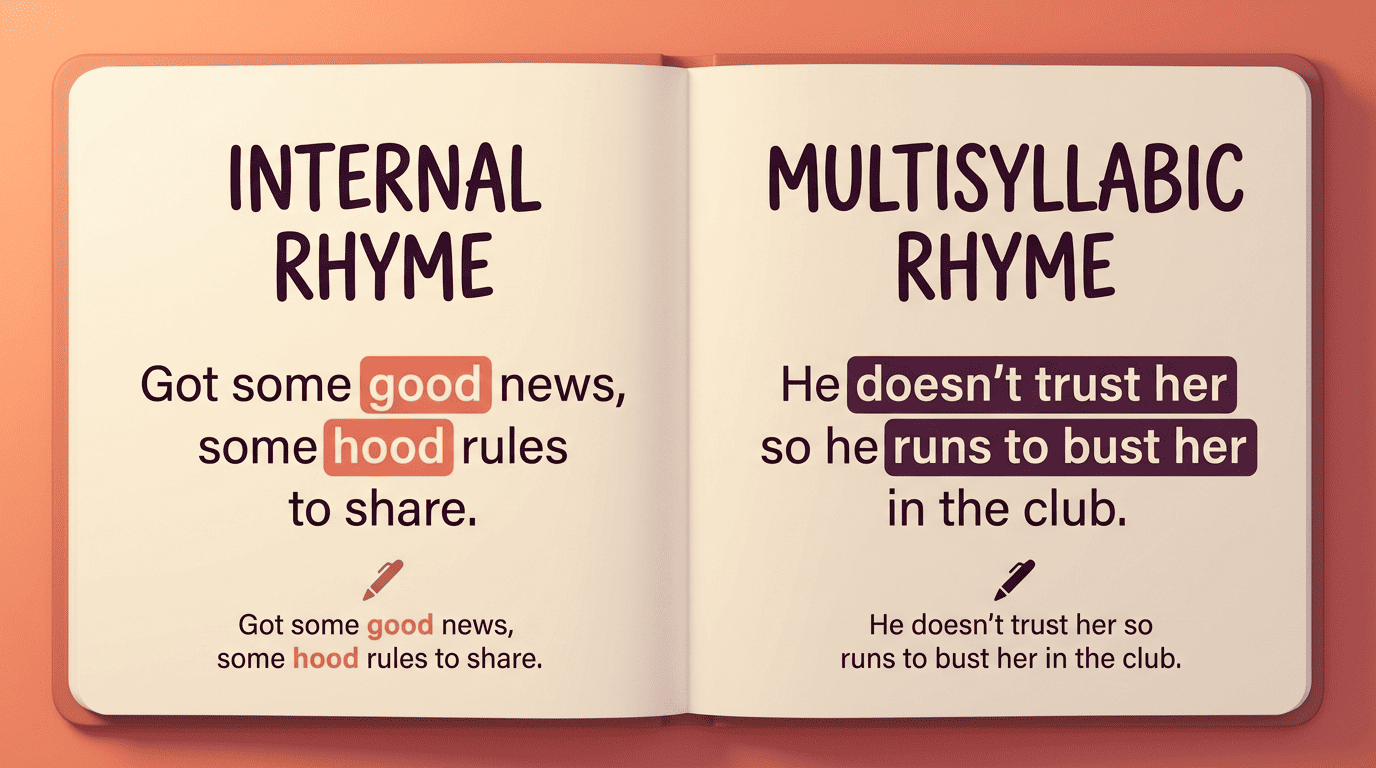
Two techniques do most of the heavy lifting once you move past simple end rhyme. A multisyllabic rhyme matches several syllables across word groups rather than just the last sound — a longer, denser stretch than a plain one-syllable rhyme. An internal rhyme lands inside a single line instead of only at the end of it, packing extra rhyme into the same bar without slowing the pace. These are what separate «bars» from greeting-card verse, and a generator that can be steered toward both will read as noticeably more technical.
Flow, Cadence and What a «Bar» Is
Flow is the layer between the words and the beat, and it’s built from a handful of concrete, learnable pieces.
Bars set the frame. The term comes from the musical measure, and in rap a line usually maps to one bar. Verses commonly run 16 bars, hooks 8 bars — a convention tight enough that some generators lock output to those lengths by default so a draft slots straight into a standard song structure.
Cadence carries the flow. Syllable count and stress pattern determine how a line sits in the pocket — the same words rearranged can drag or snap depending on where the emphasis falls, which is why reading a bar out loud over a beat matters more than reading it silently.
Region shapes the pocket. Flow isn’t one thing, and some generators offer regional presets that bias cadence toward a specific pocket:
- Atlanta — melodic trap, bouncy hi-hat-matched cadence
- New York — boom-bap pocket, steady on-beat delivery
- Chicago — drill’s triplet-heavy, dark cadence
- London — UK flow, its own syllable rhythm and slang
The preset sets the shape, but you still perform the pocket — the tool can’t put the pace in your voice for you.
Song Structure: Verse, Hook, Bridge
A finished rap song is a small set of building blocks arranged in a familiar order, and knowing each block’s job makes editing generated lyrics much faster.
The default map
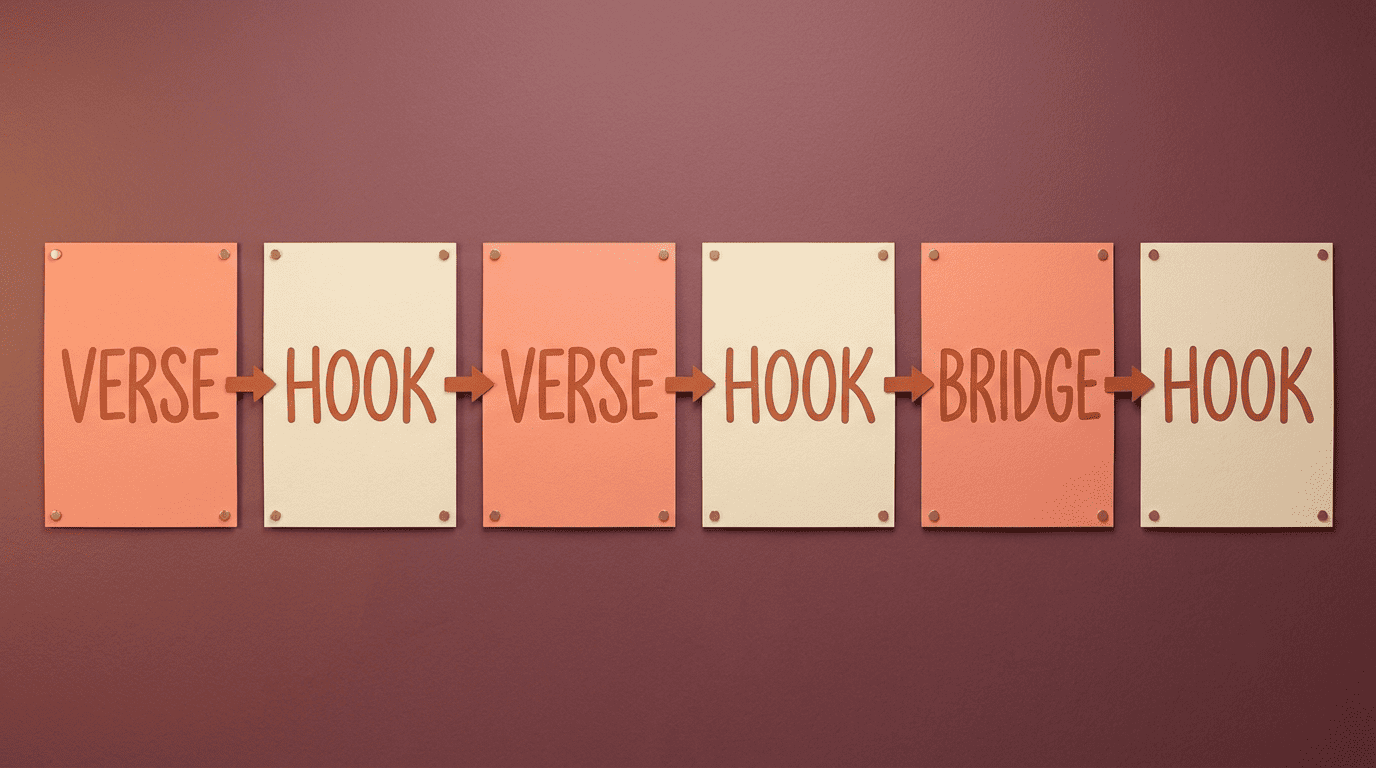
Most rap songs follow a Verse–Hook–Verse–Hook–Bridge–Hook shape by default. Here’s what each part is doing:
- Verse — carries the story or shows off technical skill; this is where the bars, wordplay and rhyme scheme get the most room to work.
- Hook — the memorable center of the song, repeated so it sticks.
- Bridge — a turn, a change of angle or emotion, that resets the listener before the final hook.
Some tools offer a structure bias — radio, story or freestyle — that reshapes this default map to favor a tighter commercial structure, a narrative arc, or a looser freestyle feel.
Writing a hook that sticks
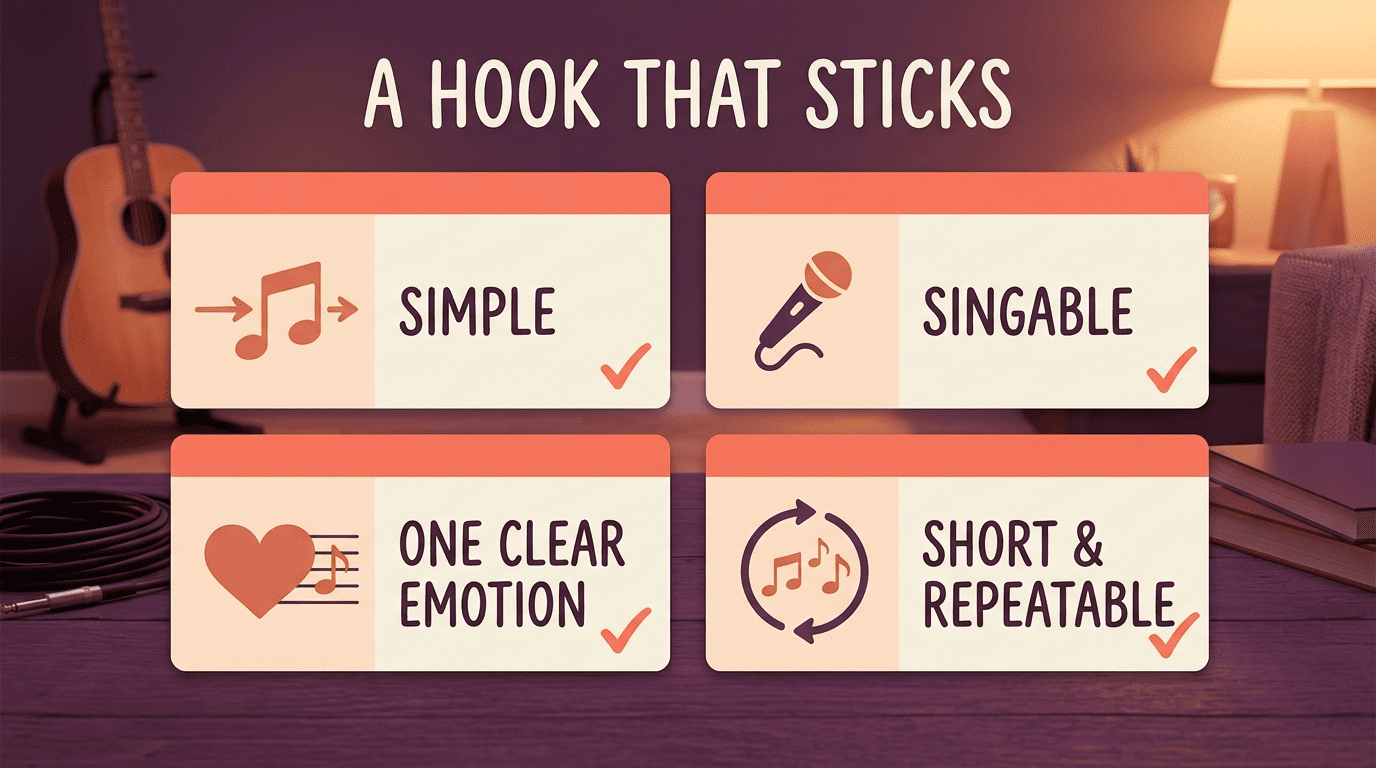
The hook carries the song’s central idea and repeats, so it has to work harder per word than any verse line. A strong hook is:
- Simple enough to remember after one listen
- Singable, even if the verses are dense
- Emotionally clear — one idea, not three competing ones
- Short enough to repeat without wearing out its welcome
Genres, Personas and Modes
Subgenre and persona settings are what keep an AI-generated verse from sounding generic.
Pick a lane
Subgenre presets change vocabulary, tempo and attitude, not just topic:
| Subgenre | Character |
|---|---|
| Trap | Hi-hat-driven, ad-lib heavy, aggressive punch |
| Boom-bap | Sample-based, lyrical, old-school New York pocket |
| Drill | Dark, triplet flow, confrontational tone |
| Melodic | Sung hooks, softer cadence, hybrid with R&B |
| Conscious | Message-driven, storytelling, social commentary |
| Cloud | Dreamy, atmospheric, minimal aggression |
| Lo-fi | Chill, understated, laid-back delivery |
| Gangsta | Street narrative, hard-edged, direct |
| Mumble | Loose enunciation, vibe over lyricism |
Beyond genre, modes like diss track and freestyle change both tone and target — a diss track sharpens the wordplay toward a specific subject, while freestyle mode loosens the structure for a stream-of-consciousness feel.
Persona and voice
Some generators ask for a stage name up front, and others save a persona, a point of view, and a profanity level — clean or explicit — so every generation stays consistent with the same voice. A consistent persona keeps a multi-song project cohesive instead of sounding like five different writers. One useful boundary: being «influenced by» an artist is fine for setting a vibe — copying their actual lines is not, which is worth keeping in mind before the next section on originality.
A Simple Workflow: Spark to Finished Verse
Turning a raw idea into a bar-tight verse usually takes the same handful of steps regardless of which tool you use — and a broader ai songwriter workspace can carry that verse the rest of the way into a full song once the bars are solid.
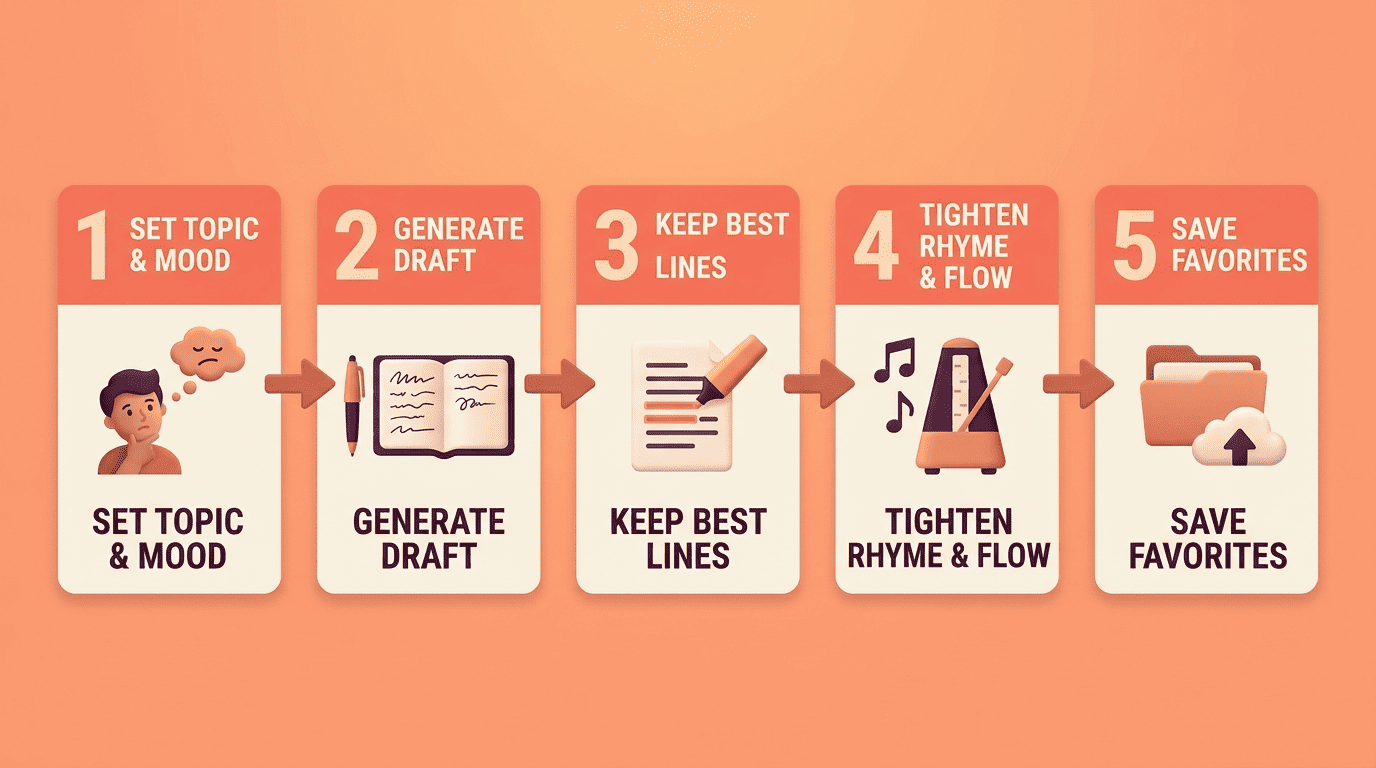
Five steps
- Set the inputs. Pick a topic, a mood and a style — some tools also take a short «inspired by» reference for vibe only, not for copying lines.
- Generate a first draft. Let the model produce a full verse or hook in one pass.
- Keep the best lines, cut the forced ones. Not every bar will land — treat the draft as a shortlist, not a final copy.
- Tighten rhyme and flow. Read it out loud over a beat and adjust syllable count where a line drags or rushes.
- Save favorites before you refresh. In several tools, hitting refresh overwrites the current output, so lock in anything worth keeping first.
Keeping It Original (and Yours)
The point of an AI rap lyrics generator is to spark your song, not to lift another artist’s lines, and that distinction matters both creatively and legally.
Write original bars, don’t copy
Treat AI output as a draft you rewrite in your own voice rather than a finished product you paste and post. Tools generally note that generated lyrics are free for personal and commercial use, but they still advise running a plagiarism check before you release anything — a generator trained on huge amounts of rap can occasionally echo a phrase closer to an existing song than you’d want. For how authorship and AI-assisted works are actually treated, the U.S. Copyright Office is the authoritative source to check before you publish or monetize a track built this way. Start with a draft from a song writer ai, then make it unmistakably yours — that’s the whole point of using one.
«That’s when I tried writing backwards. I wrote the sixteenth bar, which contained the final lines of the verse, and then the fifteenth bar, and so on up to the first bar.»
Rakim, Sweat the Technique: Revelations on Creativity from the Lyrical Genius (Amistad, 2019)